


Documentation - glideFares Travel Platform
Real Time Geo-Location Based Currency Exchange Rates
Home » Documentations » B2C White Label Travel Portal » Geo Location based Currency
Revolutionizing Finance: Geo Location-Based Currency Unleashed!
- Travel Smart, Pay Smart: Introducing Geo Location-based Currency in Our App!
1. Login to your back office
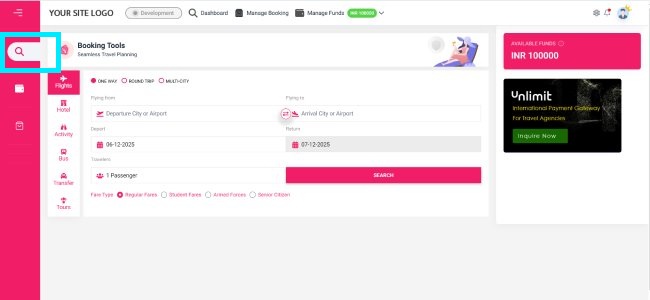
2. Navigate to My Addons
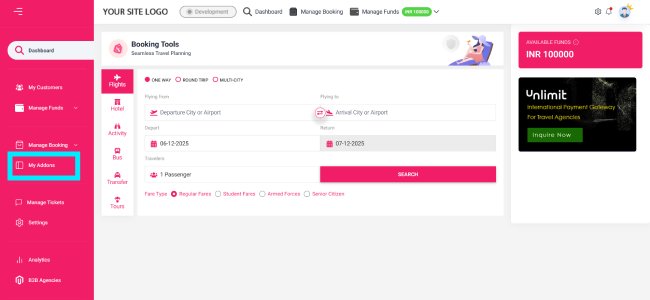
3. Find Geo Location based Currency addon and click Activate
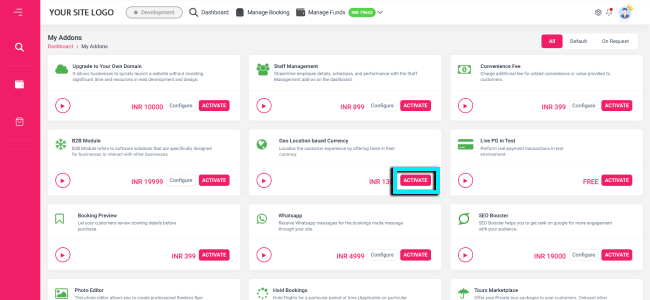
4. Then select your Payment Method Payment Method
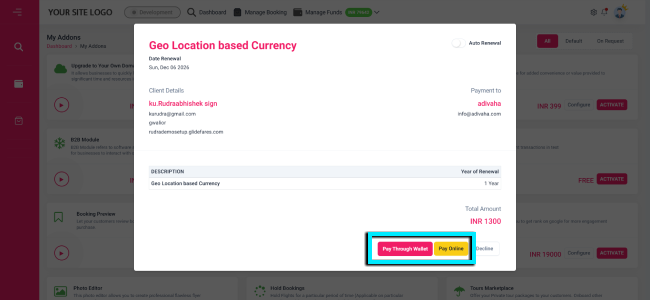
5. Your Geo Location curriency is now Activated in your website and APPs
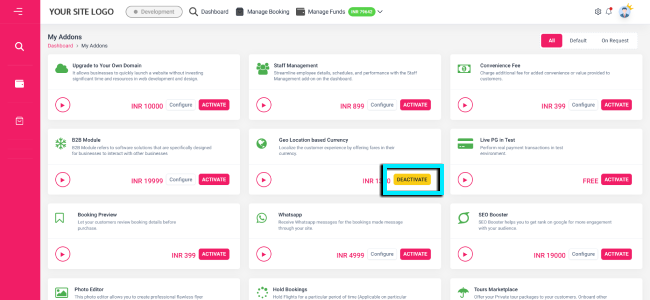
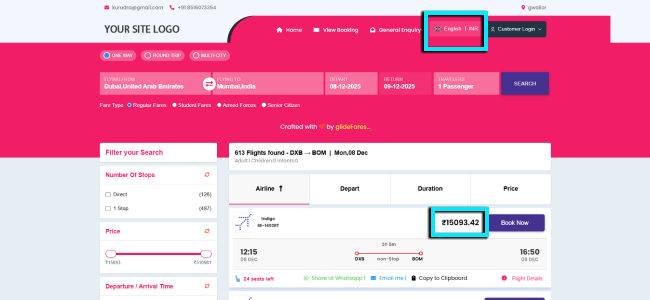
6. If your website is browsed in India, your customers will see the prices in INR
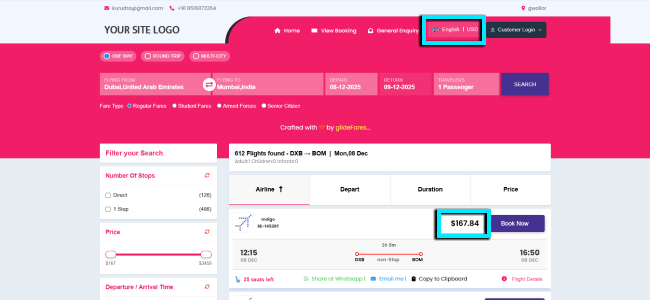
7. And if the customer browses it from US will see the price in USD
- Setup & Installation
- glideFares Travel Platform
- How It Works
- WordPress Plugin
- White Label Portal
- Cross-Platform Widgets/SDK
- B2B Travel Platform
- Mobile APP Builder
- APP Store
- Manage Wallet
- Load Funds
- Transaction History
- Back Office
- Global Settings
- Change Password
- Upload your logo
- My Bookings / Cancel Bookings
- Manage Profile
- Setting a Markup
- Customize Searchbox
- Custom Styling (CSS)
- Payment Gateway
- SMTP Settings
- Settings
- B2B
- Agency Registration
- Agency Account Activation
- Manage Agency Wallet
- Addons
- SMS Notifications
- Whatsapp Notifications
- Chatbot Settings
- Multicurrency
- Multilingual
- Travel Insurance
- Manage Cashback
- Manage Discount Coupons
- Meals & Baggages (SSR)
- Enable Taxation Module
- Photo Editor
- Geo Location based Currency
- Clubbed Flights
- Hide Passport
- Generate E-Ticket Manually
- Hold Bookings
- Many more ...