


Documentation - glideFares Travel Platform
Customize Searchbox - B2C White Label Travel Portal
Home » Documentations » B2C White Label Travel Portal » Customize Searchbox
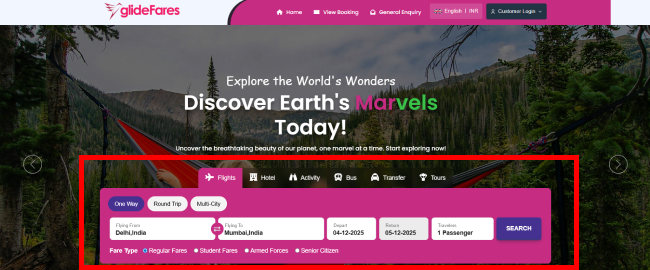
White label comes with different versions and designs of Searchbox, Search results, booking and confirmation pages. Try it yourself to check the one that suits your business needs.
- Add a seperate convenience fee apart from markup
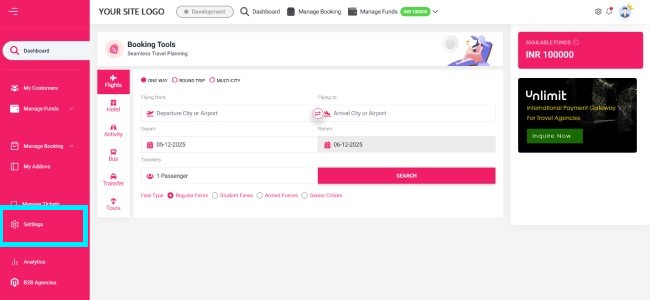
1. Login to your back office and navigate to Settings.
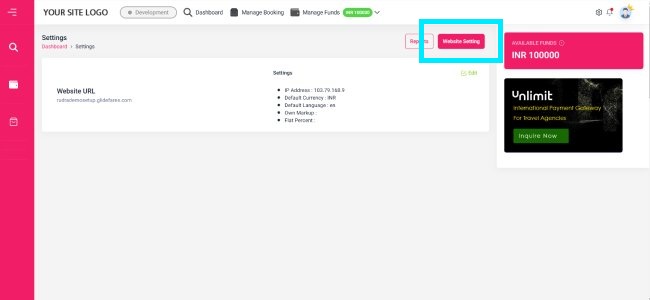
2. Then click on Website Settings.
3. Click Combined Searchbox in the left panel to customize the searchbox.
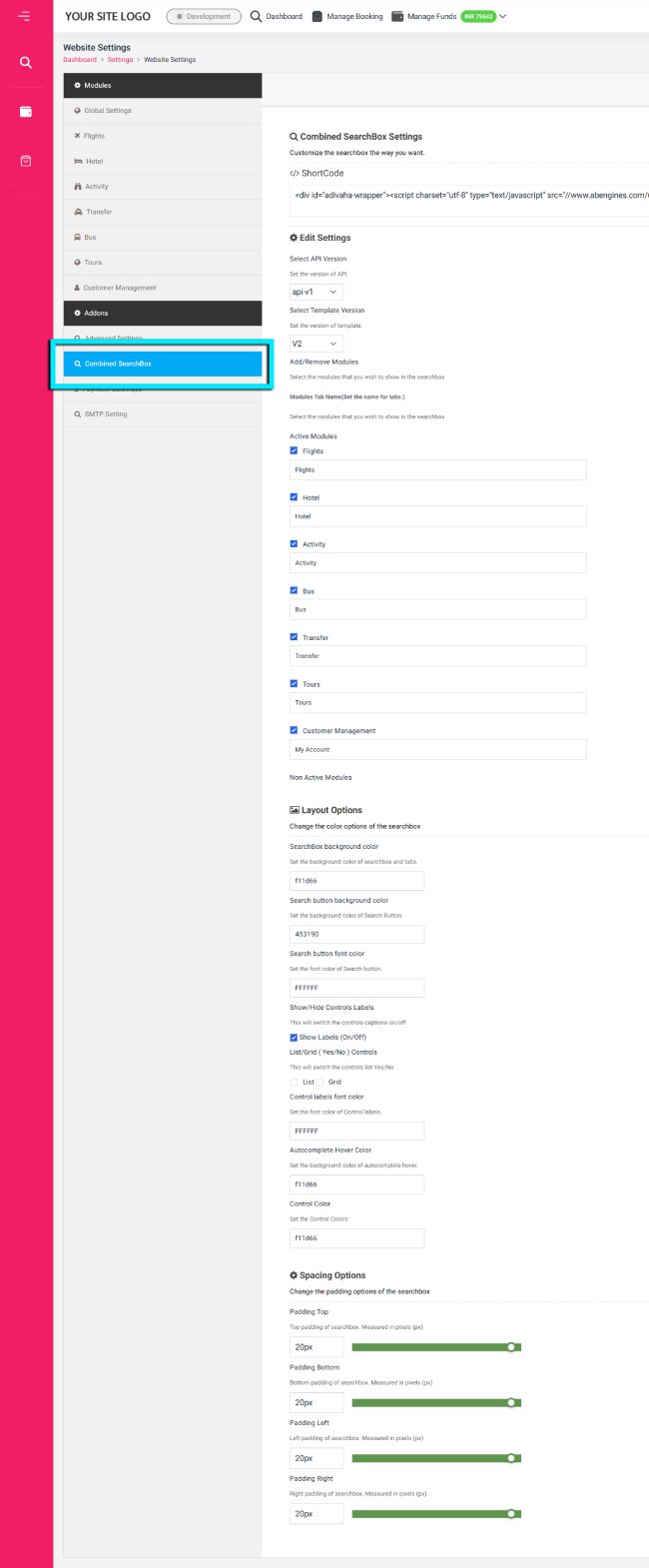
4. Click Save Setting. Please check our Custom Styling CSS if you wish to customize it even more.
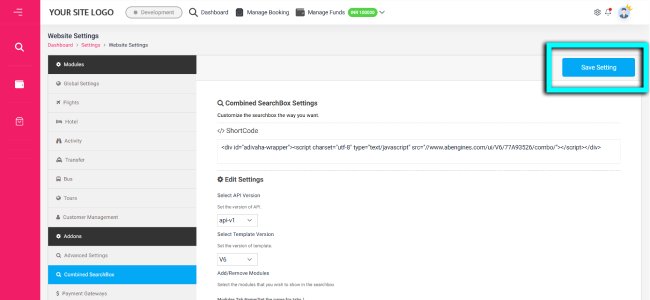
- Shortcode: Integrate the searchbox in your blog, pages or your other sub-sites.
- Version: Tryout different layouts of searchboxes to see the one that best fits your website design
- Active Modules: You can activate/deactivate/hide the modules from the searchbox and order it through dragging it.
- Layout options: Choose the color combination as per your website design
- Spacing Option: Padding that you wish to keep in the searchbox